More detail.
Still yours.

Turn a small image into a crisp 4× version, right in your browser. Your pictures stay on your device.
Choose your image
Nothing is uploaded. Processing uses your own CPU or GPU.
Before and after
Two real comparisons: original on the left, 4× result on the right.
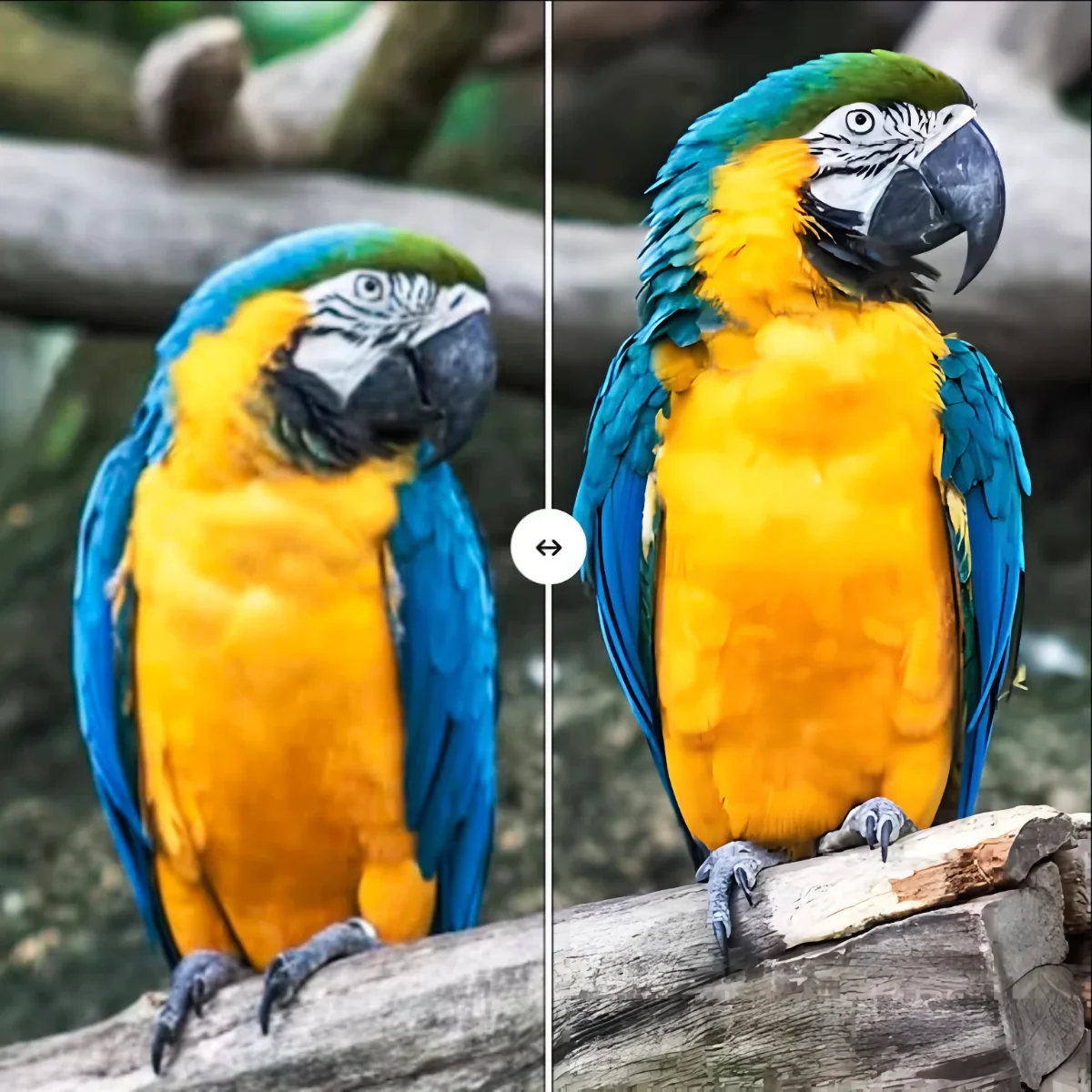
Natural texture and fine detail come back at 4×.

Clean lines and flat colour stay sharp at 4×.
Questions and answers
How the processing, the model choices and your privacy actually work.
Are my images uploaded?
No. Pixels are processed in browser memory on your own CPU or GPU, and the app neither uploads nor stores images or results; a result is only saved when you download it. The page still fetches its code, runtimes and the selected model over the network.
Should I pick “Real photo” or “Anime”?
Match the content. Photos use realesrgan-x4plus or realesr-general-x4v3; illustrations, line art and CG use realesrgan-x4plus-anime or realesr-animevideov3-x4. Your style choice picks the model for you.
What is the difference between “Speed first” and “Quality first”?
Speed first runs a smaller model, so it waits less and uses less memory. Quality first runs a larger model for more detail, but takes longer. It is worth trying both on the same image.
How large can an image be, and which formats work?
Inputs may be PNG, JPEG, WebP, BMP, AVIF or GIF, and results download as PNG. An animated GIF is upscaled from its first frame only. Keep the longest edge at or below 512px on CPU or 1024px on WebGPU — these are recommendations, not hard limits. Larger images are slow and can run out of memory.
Should I compute on WebGPU or CPU?
Automatic tries WebGPU first and falls back to CPU when it is unavailable or fails. A discrete or recent integrated GPU is much faster on WebGPU; CPU works everywhere but is slower. Forced modes never fall back.
What licence applies, and can I use it commercially?
This repository is BSD 3-Clause, which permits commercial use. Third-party components and models keep their own licences — see LICENSE and NOTICE. Thanks to Real-ESRGAN, real-esrgan-ncnn-webassembly, realcugan-ncnn-webassembly, ncnn and ONNX Runtime.